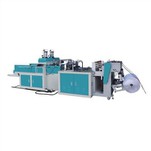
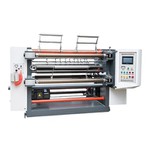
Switching between "50 pcs/pack" and "100 pcs/pack" in a T-shirt bag making machine relies on "programmable counting + batch triggering," not physical sorting. For fully automatic models, simply adjust the parameters on the touchscreen; for manual collection machines, a counting controller must be added.
I. Standard Fully Automatic Machine: Parameter-Based Switching
If your equipment is already equipped with a PLC, touchscreen, and an automatic collection table, the operation is extremely simple:
1. Modify the preset value: On the touchscreen interface, under "Stacking Settings" or "Counting Alarm," change the target quantity from 100 to 50.
2. Automatic execution: When the machine produces the 50th bag, the PLC triggers a signal to control the collection table-either by pneumatic ejection or baffle switching-to complete the separation of that batch. The counter then automatically resets to zero to begin the next batch.
II. Manual Collection Machine: Adding a Counting Module
If your machine currently only supports manual collection, an electrical modification is required:
• Add hardware: Install a photoelectric sensor (to detect bag drop) + a counting controller (with digital display, supporting presets).
• Set the logic: Set the controller to 50. During production, after the 50th bag drops, the controller outputs a signal (e.g., closes a relay contact), which drives a buzzer alarm or indicator light to alert the operator to manually remove the stack. After resetting, the process continues.
III. Key Hardware Configuration List
To achieve stable switching, the equipment must be equipped with the following essential modules:
| 模块 | 功能 | 备注 |
| 光电传感器 | 检测每个袋子通过 | 必须稳定,防漏检 |
| PLC/计数器 | 累加数量,比较预设值 | 支持任意数值设定 |
| 执行机构 | 吹气阀或推料杆 | 自动机必备,手动机可选 |